RemoteMix
RemoteMix
Product Launch — 2024
Product Launch — 2024
My Role
Lead Designer — Visual Design, Feature Scoping, Research, Interaction Design, Prototyping, User Testing
Lead Designer — Visual Design, Feature Scoping, Research, Interaction Design, Prototyping, User Testing
Timeline
July 2024 — “Drop everything you can, onboard yourself and work on this.” - It was said in a much nicer way than this though!
July 2024 — “Drop everything you can, onboard yourself and work on this.” - It was said in a much nicer way than this though!
Aug 2024 — Visuals crafted & iterated on, prototypes tested, and engineering began. Design iterations continued as things popped up doing development.
Aug 2024 — Visuals crafted & iterated on, prototypes tested, and engineering began. Design iterations continued as things popped up doing development.
Sept 2024 — Engineering continues, design support and edge case refinement as needed
Sept 2024 — Engineering continues, design support and edge case refinement as needed
Oct 2024 — BETA / MVP Release
Oct 2024 — BETA / MVP Release
Product / Project Overview
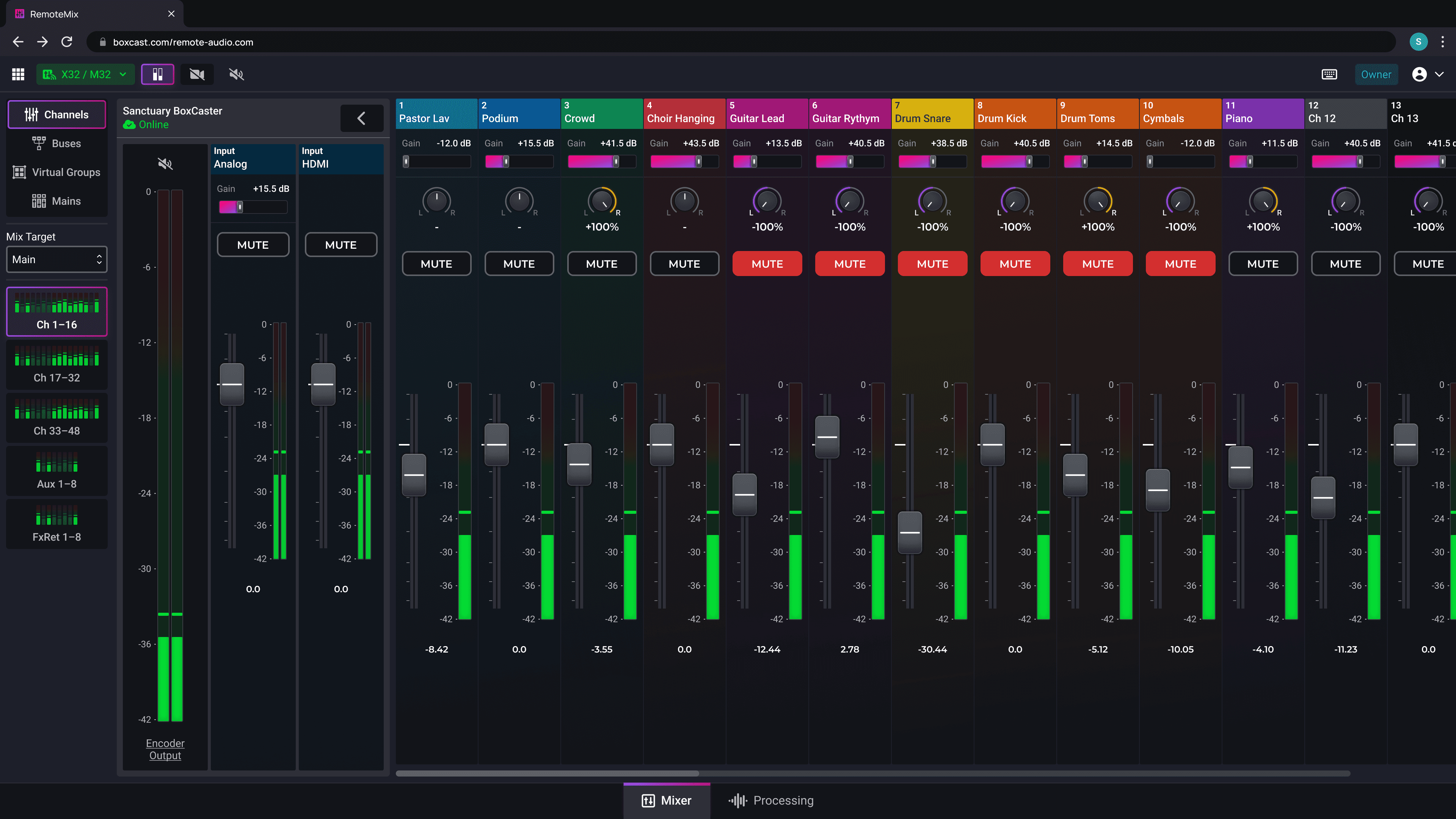
RemoteMix is your “Mixer in the Cloud” — Seamlessly connect and control your digital audio mixer from anywhere in the world via BoxCast’s platform.
After alpha testing concluded in Q2 2024, I took ownership of crafting the MVP Product of RemoteMix. This required deep competitor analysis, many visual and flow iterations as well as managing stakeholder feedback and coming up with ideas on the fly.
RemoteMix’s visual uniqueness and set up and interaction were highly praised by stakeholders and users during testing and initial BETA release.
RemoteMix is your “Mixer in the Cloud” — Seamlessly connect and control your digital audio mixer from anywhere in the world via BoxCast’s platform.
After alpha testing concluded in Q2 2024, I took ownership of crafting the MVP Product of RemoteMix. This required deep competitor analysis, many visual and flow iterations as well as managing stakeholder feedback and coming up with ideas on the fly.
RemoteMix’s visual uniqueness and set up and interaction were highly praised by stakeholders and users during testing and initial BETA release.
Before and After
Before and After
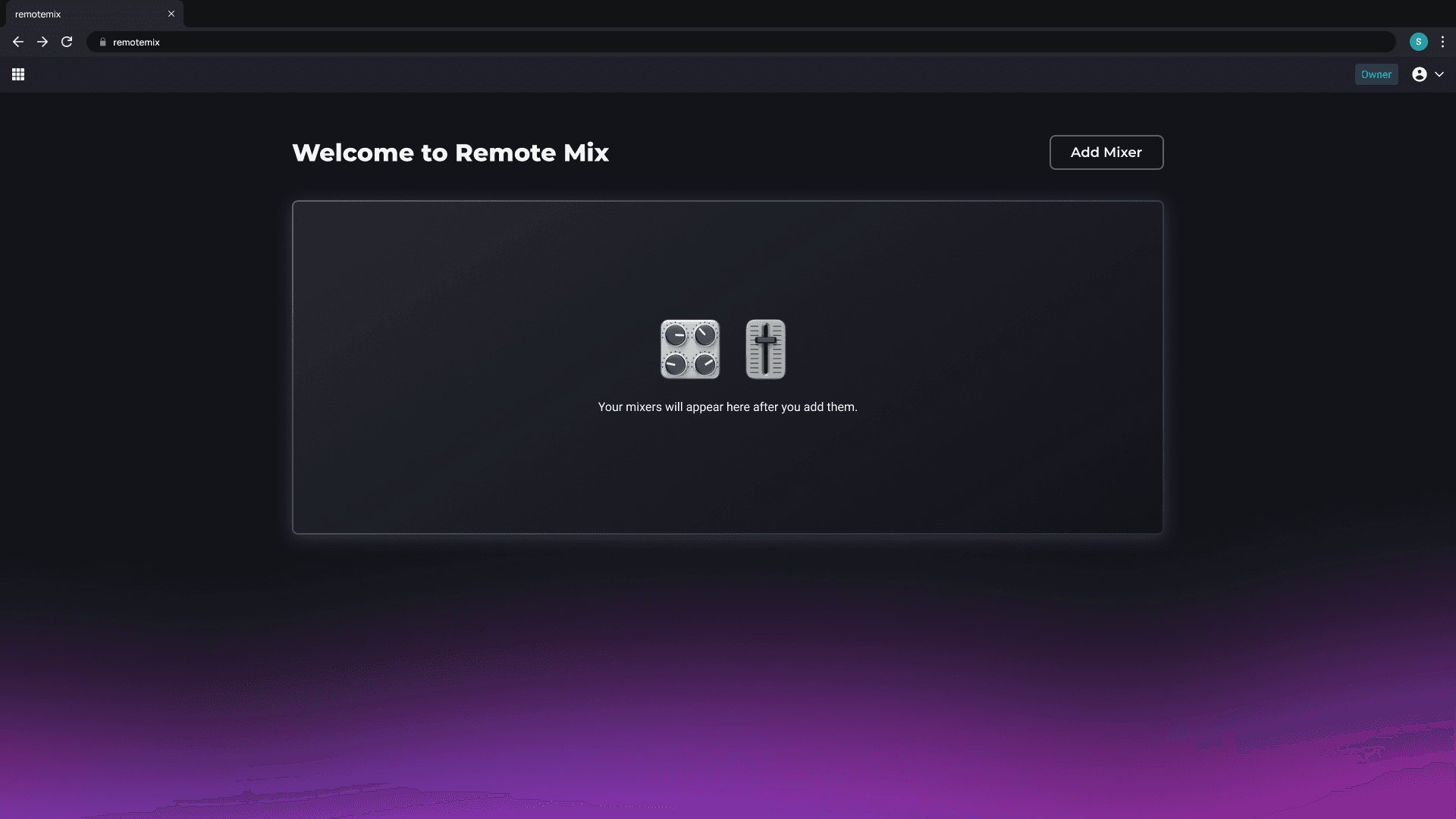
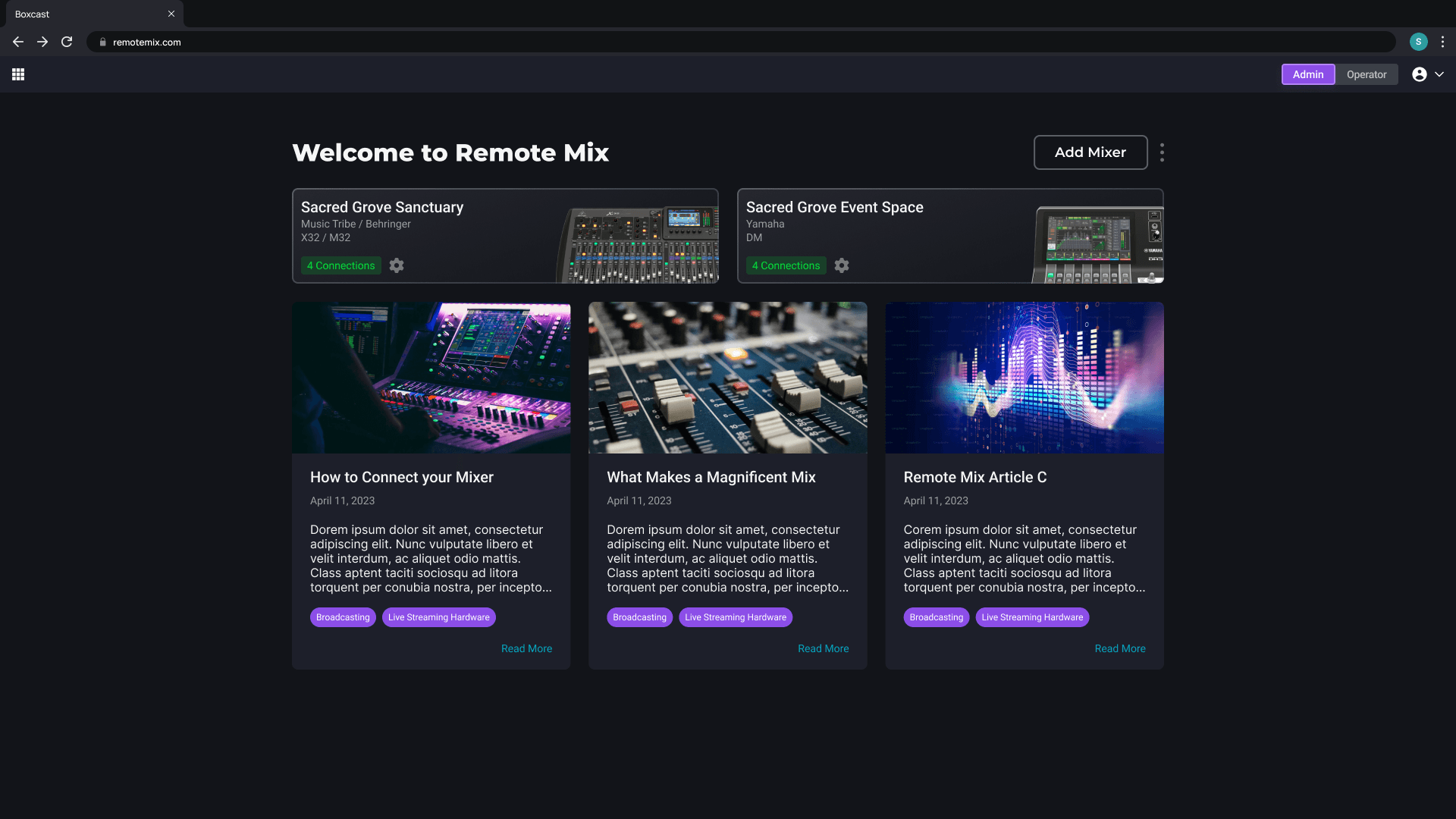
To be clear, the alpha on the left served it's dirty prototyping and early user feedback needs. There had been no design kickoff yet.
To be clear, the alpha on the left served it's dirty prototyping and early user feedback needs. There had been no design kickoff yet.
Explainer Video from Marketing
Explainer Video from Marketing
Early Launch Results 🚀
Early Launch Results 🚀
Early Launch Results 🚀
1000+ signed up for the waitlist
1000+ signed up for the waitlist
200+ weekly users within 2 months of laucnh
200+ weekly users within 2 months of laucnh
25 new users per week on average
25 new users per week on average
Testimonial Video
Testimonial Video
Testimonial Video
"I think I had my first connection started in less than a minute!"
"I think I had my first connection started in less than a minute!"
Problem Space
Mixing live audio is hard and very intimidating without a depth of knowledge and always requires someone to be on site.
Companion apps for mixers exist, but they’re usually not truly remote and oftentimes have an overwhelming amount of options and features.
How can we simplify the process for connecting and mixing?
How can we make this a tool open and enticing for both professionals and beginners?
Mixing live audio is hard and very intimidating without a depth of knowledge and always requires someone to be on site.
Companion apps for mixers exist, but they’re usually not truly remote and oftentimes have an overwhelming amount of options and features.
How can we simplify the process for connecting and mixing?
How can we make this a tool open and enticing for both professionals and beginners?
Goals & Opportunities
Expand BoxCast’s brand into an entirely new audio market, opening up business opportunities beyond streaming.
Create a product that feels new, but familiar a “Universal Remote Control” for all soundboards.
Simplify complex workflows for users wanting to learn audio mixing.
Provide a secure environment for users to access all mixes and mains from their soundboard or lock it down to just 1 mix at a time.
Expand BoxCast’s brand into an entirely new audio market, opening up business opportunities beyond streaming.
Create a product that feels new, but familiar a “Universal Remote Control” for all soundboards.
Simplify complex workflows for users wanting to learn audio mixing.
Provide a secure environment for users to access all mixes and mains from their soundboard or lock it down to just 1 mix at a time.
Early alpha and concepting interviews told us that there was a potential product here, but the road to fleshing everything out took months of rapid iteration & cross collaborative work.
Early alpha and concepting interviews told us that there was a potential product here, but the road to fleshing everything out took months of rapid iteration & cross collaborative work.
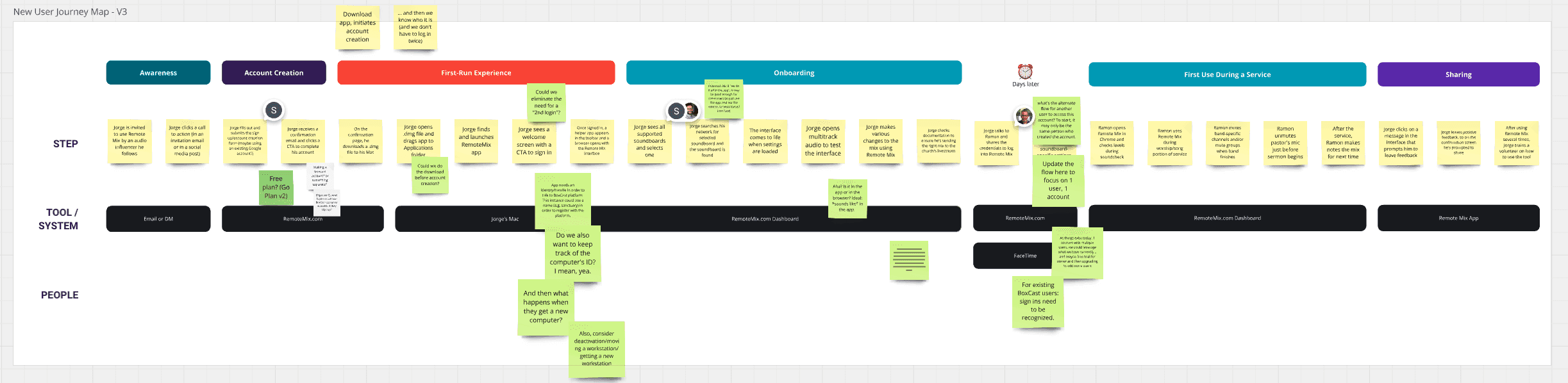
Early Customer Journey Map
Challenges
Complexity
Live audio mixing is tough! It’s tough to explain and even tougher to grasp if you have 0 experience. Only a handful of us in the company possessed the required knowledge to have the needed conversations, oftentimes leaving team members confused about what we were building and why we were making decisions certain ways. This required a lot of trust in a select few people.
Mixer Uniqueness
Every soundboard has different ways of communicating information. Our goal to support 60+ digital mixers with a universal design that fit them all will continue to be a challenge with every feature added.
Fresh branding and look
C Suite wanted a fresh branding and product experience, that was separate from BoxCast. This ended up causing a bunch of issues down the line with our sign up service and likely was more trouble than it was really worth in the end.
Performance
Performance of browser based mixing had direct impacts on certain aspects of design and created both helpful and tough constraints.
Risk & Vagueness
This whole thing was a risk the company wanted to take to open up new lines of business. Additionally, we started with nearly no requirements and were largely making things up on the fly determining what needed to be in and out of MVP based on a hopeful launch date of October 2024.
Complexity
Live audio mixing is tough! It’s tough to explain and even tougher to grasp if you have 0 experience. Only a handful of us in the company possessed the required knowledge to have the needed conversations, oftentimes leaving team members confused about what we were building and why we were making decisions certain ways. This required a lot of trust in a select few people.
Mixer Uniqueness
Every soundboard has different ways of communicating information. Our goal to support 60+ digital mixers with a universal design that fit them all will continue to be a challenge with every feature added.
Fresh branding and look
C Suite wanted a fresh branding and product experience, that was separate from BoxCast. This ended up causing a bunch of issues down the line with our sign up service and likely was more trouble than it was really worth in the end.
Performance
Performance of browser based mixing had direct impacts on certain aspects of design and created both helpful and tough constraints.
Risk & Vagueness
This whole thing was a risk the company wanted to take to open up new lines of business. Additionally, we started with nearly no requirements and were largely making things up on the fly determining what needed to be in and out of MVP based on a hopeful launch date of October 2024.
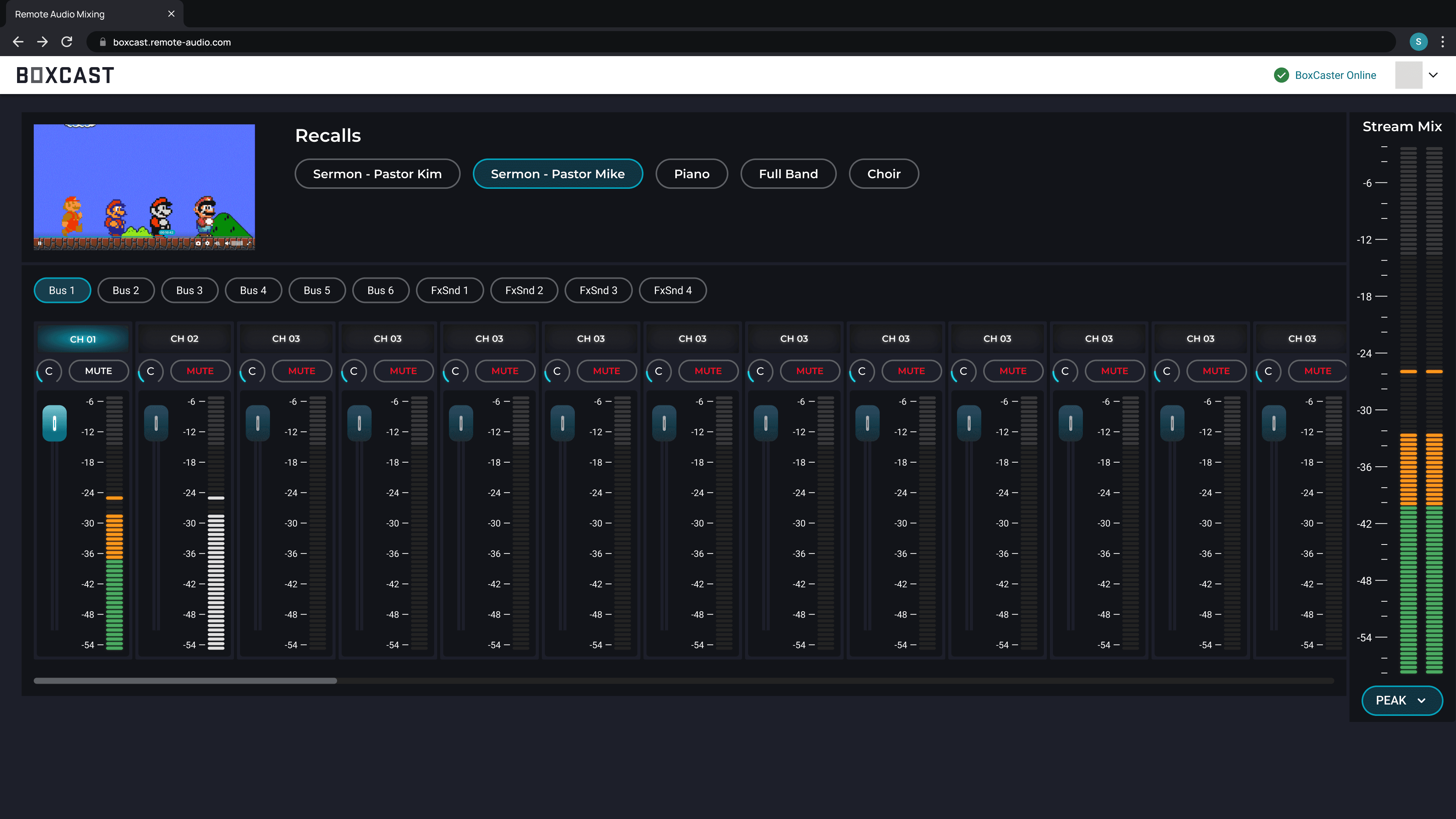
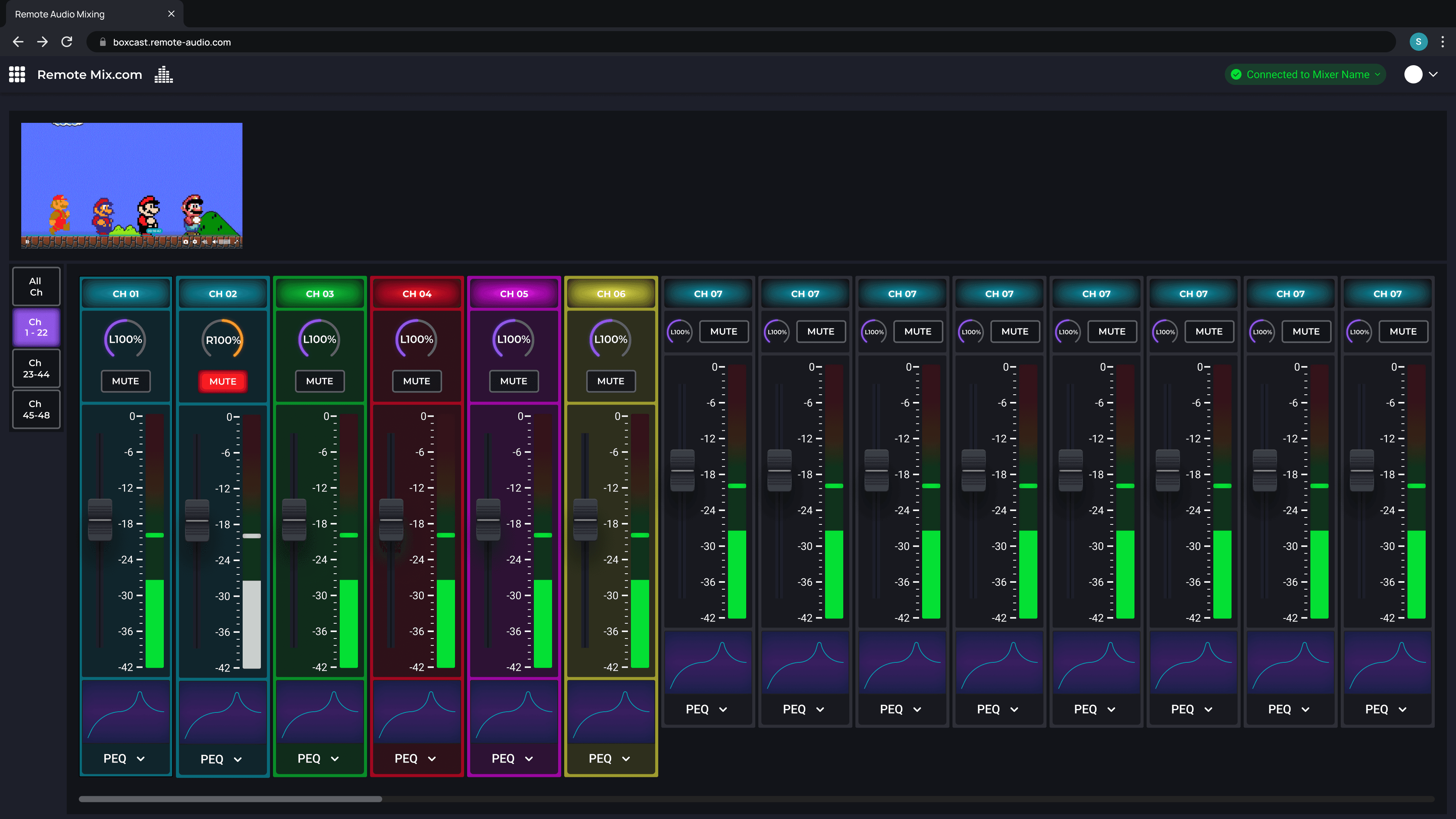
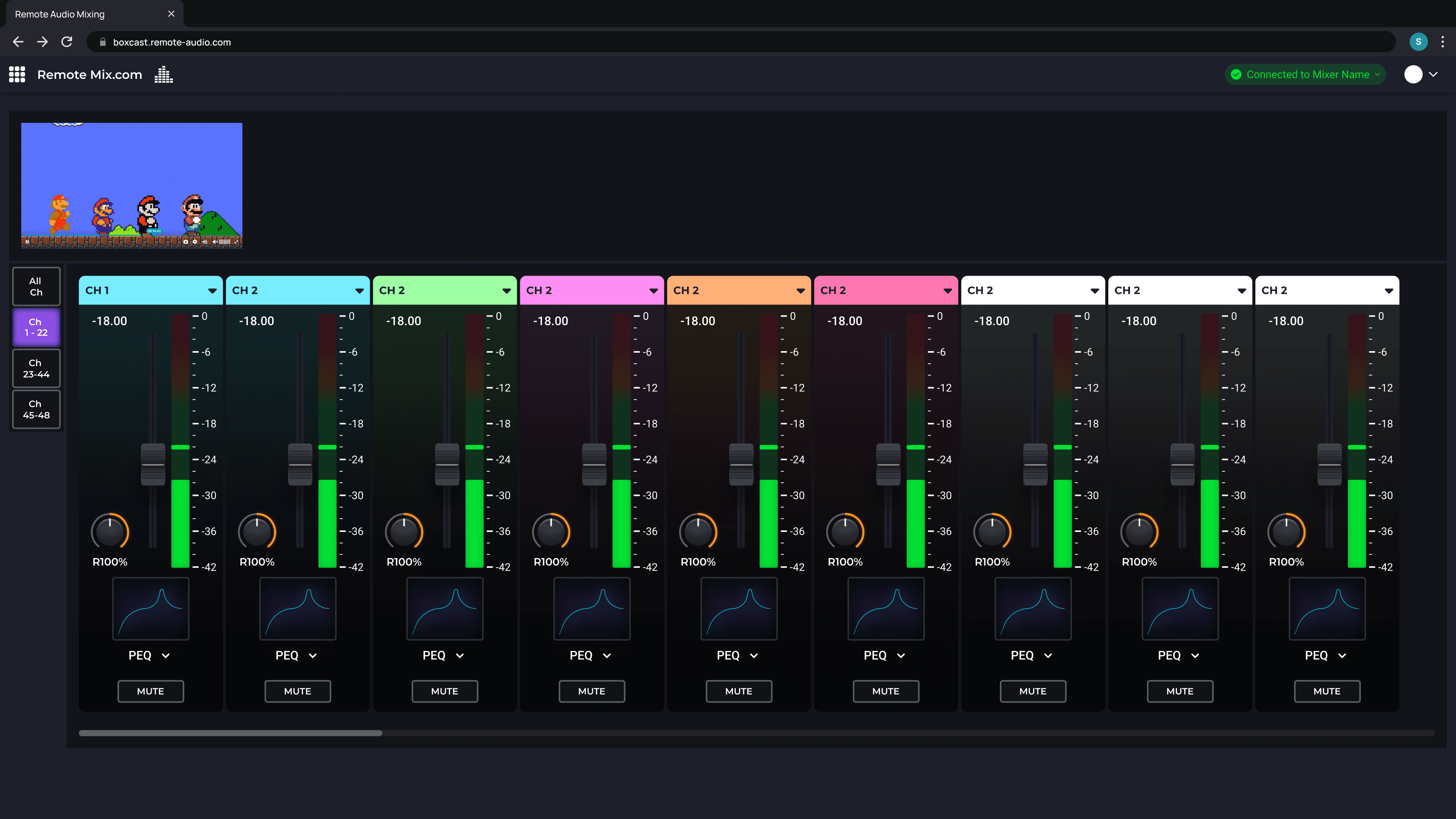
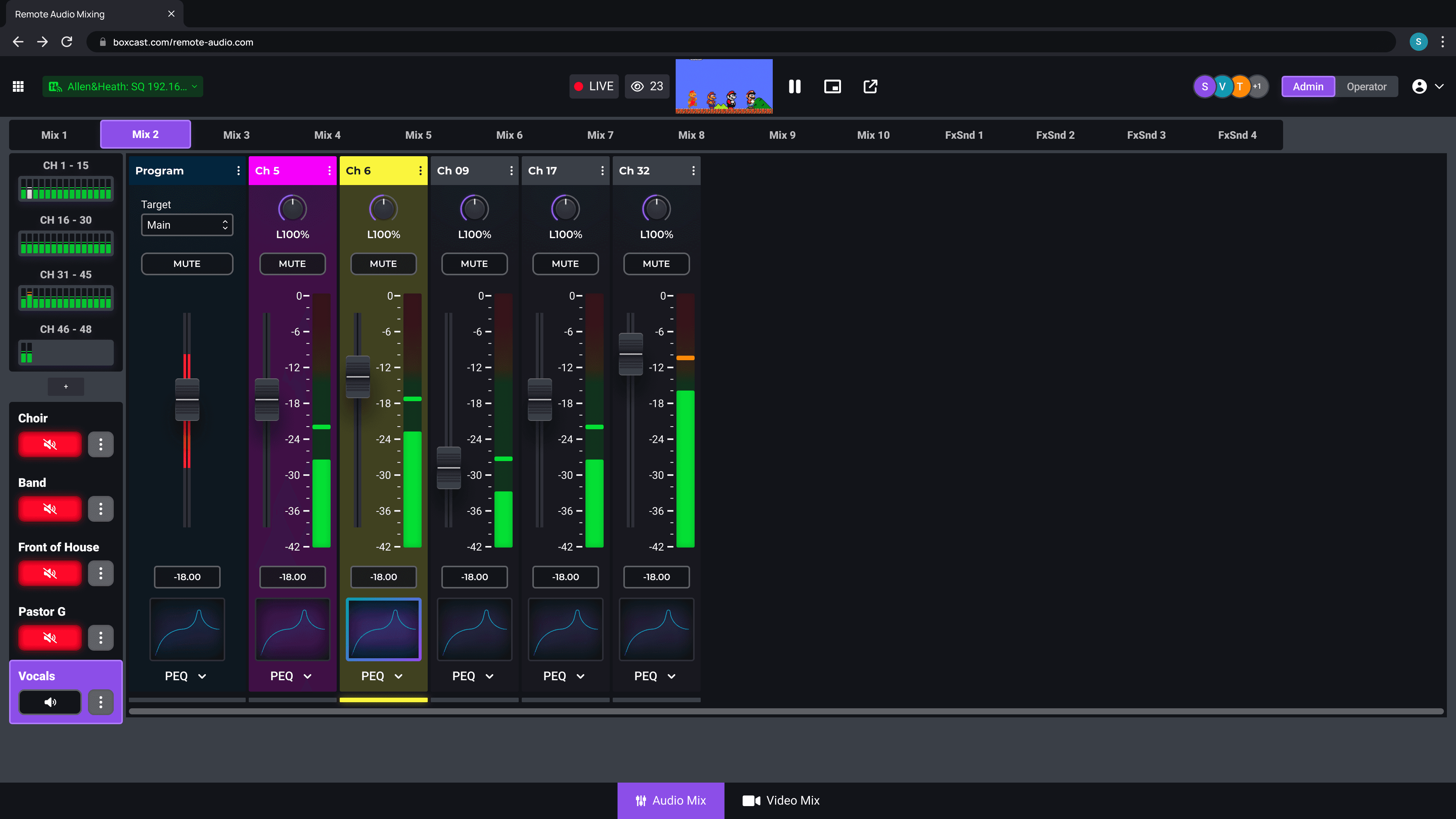
Earliest Visual Concepts
Earliest Visual Concepts
These weren’t meant to be good, just blue-skying and dumping visual ideas. Some ideas and visuals carried through to the end, making the early exploration worthwhile.
Requirements were extremely vague at this stage.
These weren’t meant to be good, just blue-skying and dumping visual ideas. Some ideas and visuals carried through to the end, making the early exploration worthwhile.
Requirements were extremely vague at this stage.
Prototype / Usability Testing
Prototype / Usability Testing
Prototype / Usability Testing
My favorite part of the process!
My favorite part of the process!
We were looking for feedback mainly in the following areas:
Clarity & ease of use during set up and within the mixer UI
General Navigation in the mixer UI
MVP feature set
We were looking for feedback mainly in the following areas:
Clarity & ease of use during set up and within the mixer UI
General Navigation in the mixer UI
MVP feature set
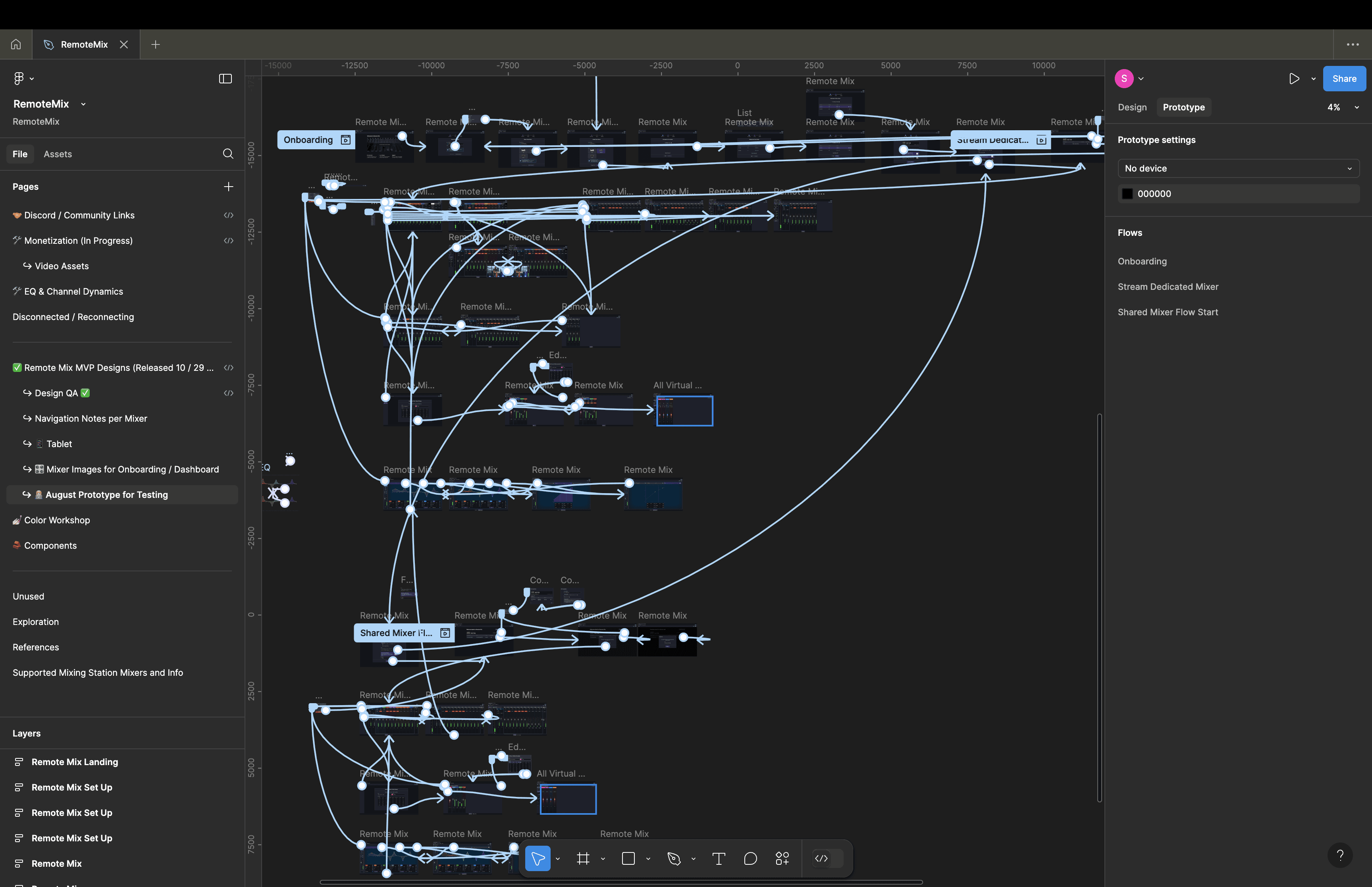
I fleshed a pretty comprehensive prototype with a lot of interactions and scenarios / flows.
Some of this was out of scope already, but was worth gathering user feedback on.
Usability Test Takeaways
Usability Test Takeaways
Usability Test Takeaways
Some of the highlights from the usability testing. There were plenty more.
Some of the highlights from the usability testing. There were plenty more.

We got lucky with who we were able to recruit for prototype testing and had a wide range of experience.
We got lucky with who we were able to recruit for prototype testing and had a wide range of experience.
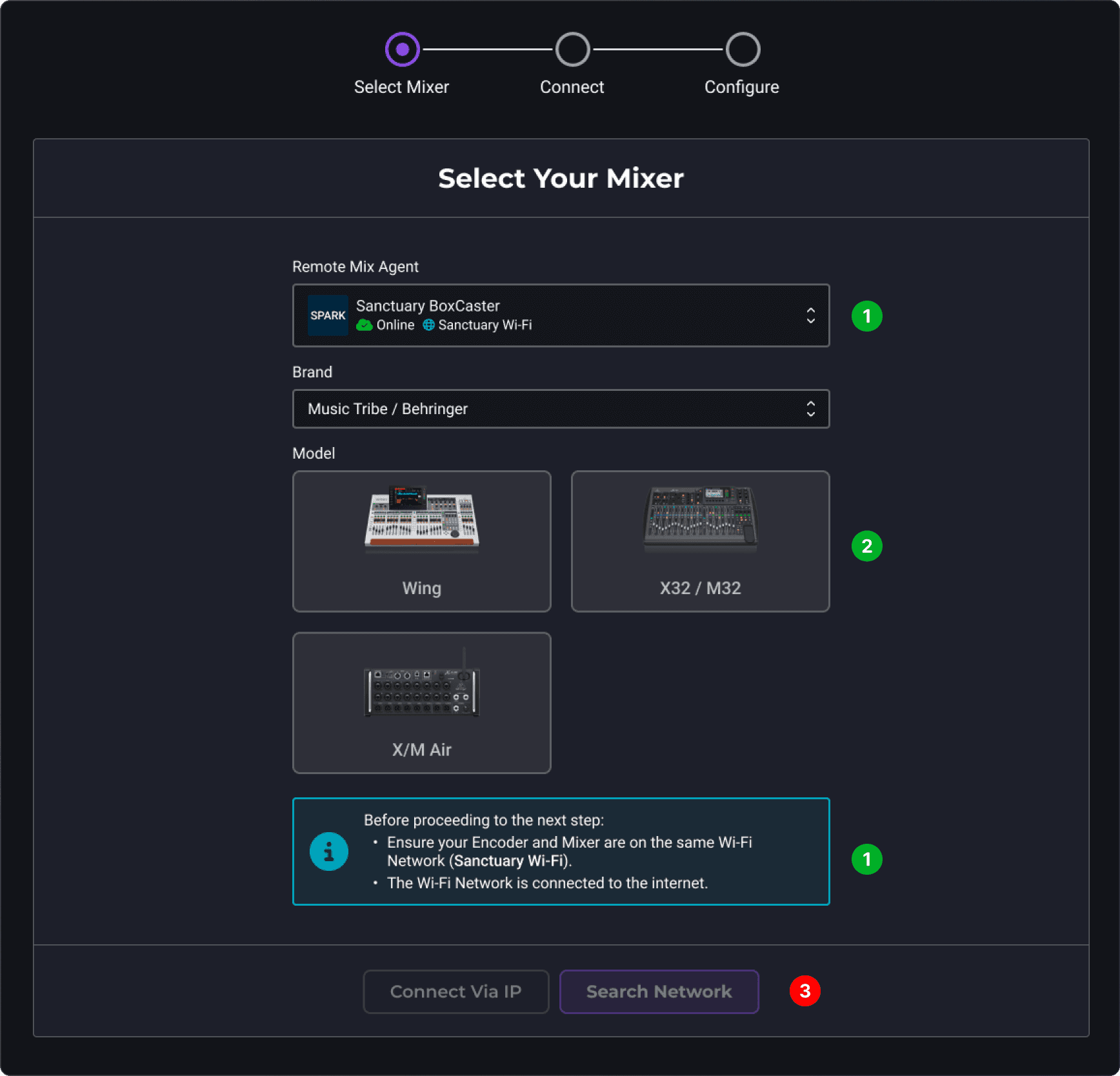
1
Helpful Info
Helpful Info
Encoder Connection status and Wi-Fi was helpful - since it was essential for connecting
Encoder Connection status and Wi-Fi was helpful - since it was essential for connecting
2
Easily ID their Mixer
Easily ID their Mixer
Users liked the photos and being able to easily ID their mixer via photos instead of a giant list like it was in the Alpha.
Users liked the photos and being able to easily ID their mixer via photos instead of a giant list like it was in the Alpha.
3
No Off Ramp
No Off Ramp
There wasn’t any sort of off ramp other than spamming the back button if something was wrong or they needed to back out.
There wasn’t any sort of off ramp other than spamming the back button if something was wrong or they needed to back out.
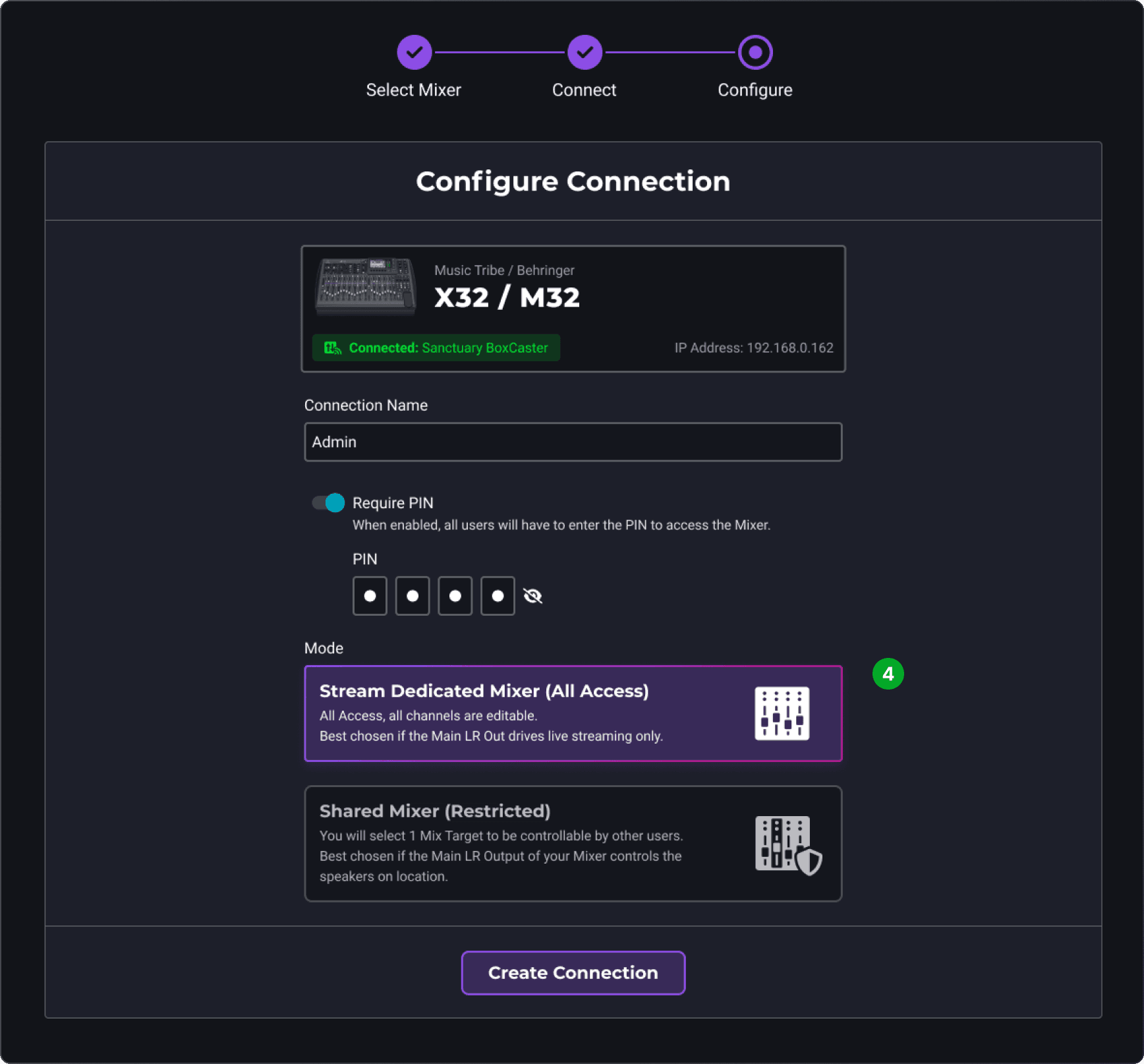
4
Mixer Modes, PIN, and Connection Name
Mixer Modes, PIN, and Connection Name
Users liked the various options for creating a new connection.
Users liked the various options for creating a new connection.
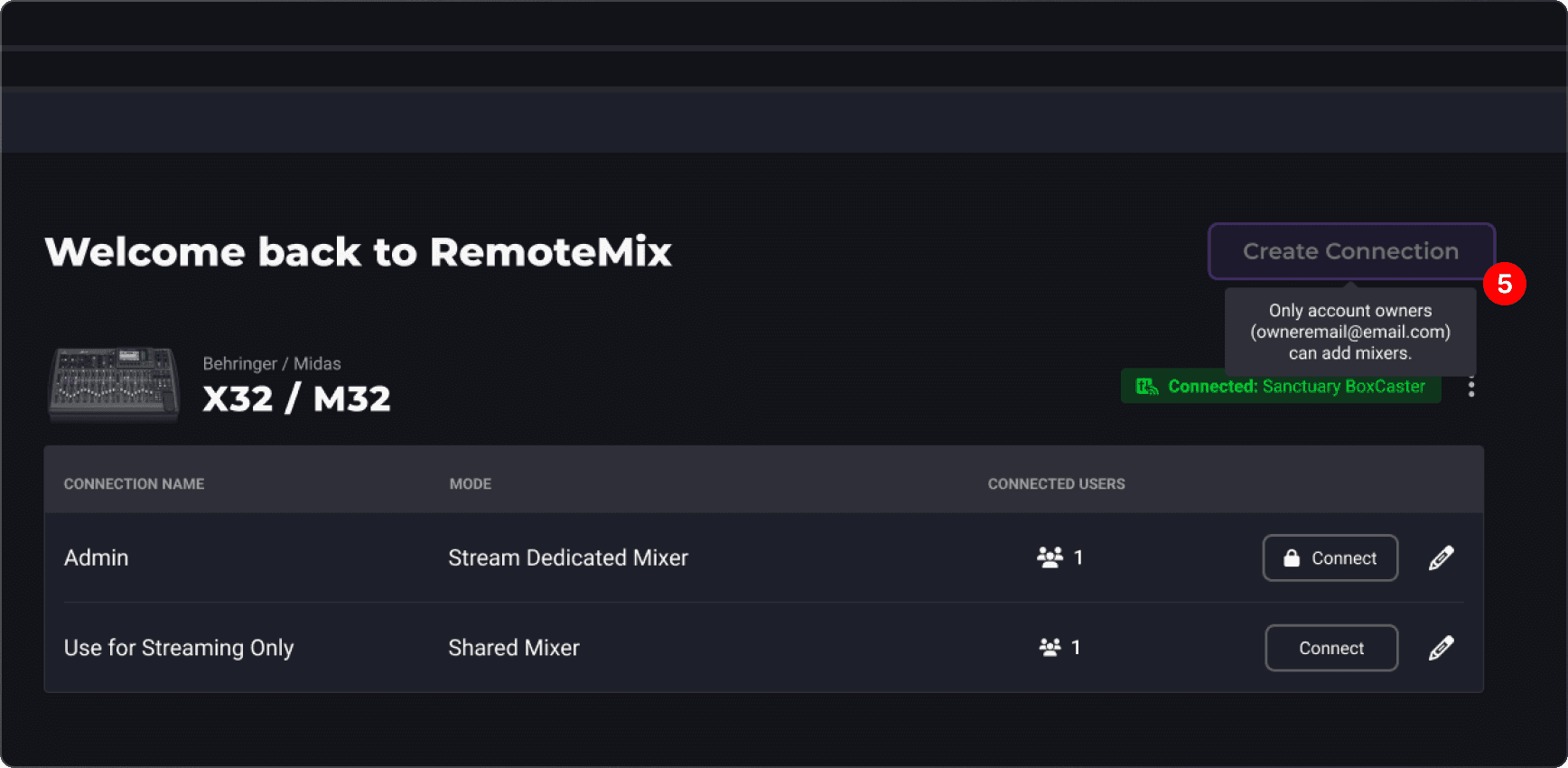
5
Account Owner Restrictions
Account Owner Restrictions
No users liked these account owner restrictions.
Account owners were often times not the ones using the BoxCast products so this created a weird dynamic needing to potentially ask the owner to set up a mixer when they have no idea what their doing.
No users liked these account owner restrictions.
Account owners were often times not the ones using the BoxCast products so this created a weird dynamic needing to potentially ask the owner to set up a mixer when they have no idea what their doing.
6
Navigation
Navigation
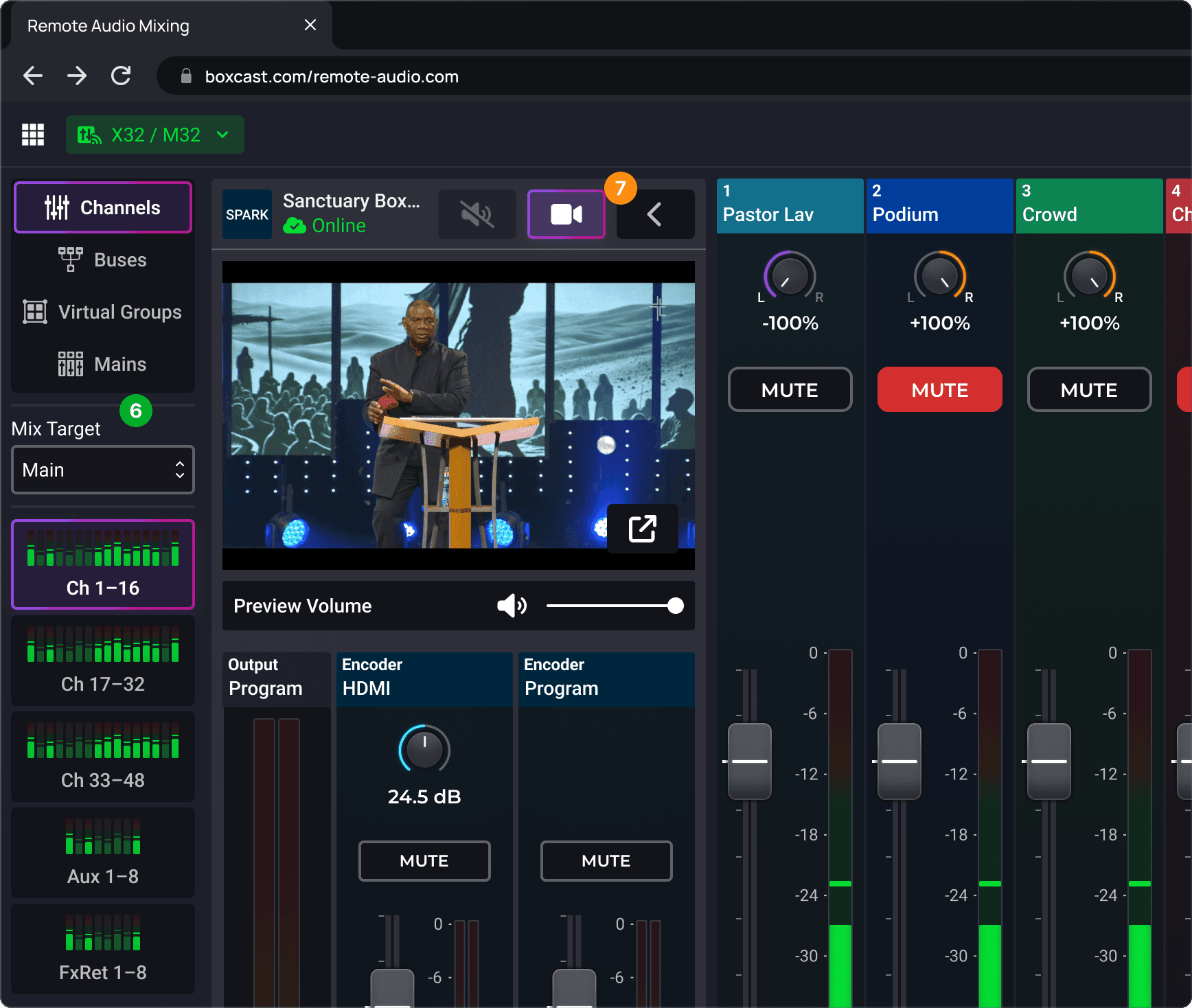
Users found the navigation familiar and intuitive and really liked the layer jumper with the quick view of out of site channels.
Users found the navigation familiar and intuitive and really liked the layer jumper with the quick view of out of site channels.
7
Encoder Controls
Encoder Controls
Users liked the encoder controls, but likely wouldn’t mess with them too much while live and wondered if there was a way to have the video preview with the encoder controls closed.
Users liked the encoder controls, but likely wouldn’t mess with them too much while live and wondered if there was a way to have the video preview with the encoder controls closed.
8
General UI Positive Feedback
General UI Positive Feedback
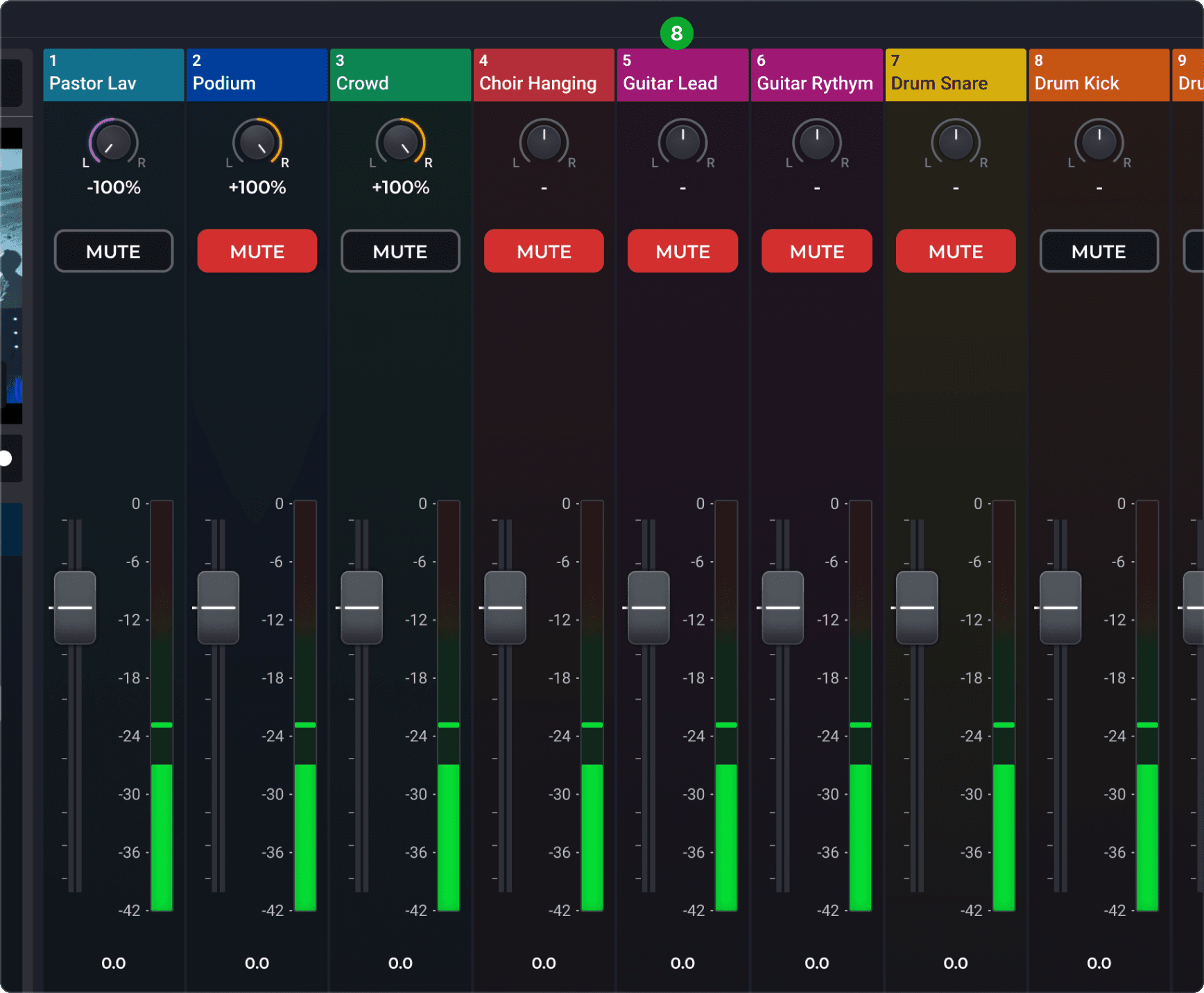
Overall loved the UI and that we’d be pulling their channel names and colors directly from their mixers!
This wasn’t a gimmick, it really did work like this.
Overall loved the UI and that we’d be pulling their channel names and colors directly from their mixers!
This wasn’t a gimmick, it really did work like this.
There was still work to do!
The work didn’t stop with engineering handoff.
As development continued - limitations, performance issues and new edge cases continued inform the design.
More rapid design iteration was needed for various areas of the experience.
The work didn’t stop with engineering handoff.
As development continued - limitations, performance issues and new edge cases continued inform the design.
More rapid design iteration was needed for various areas of the experience.
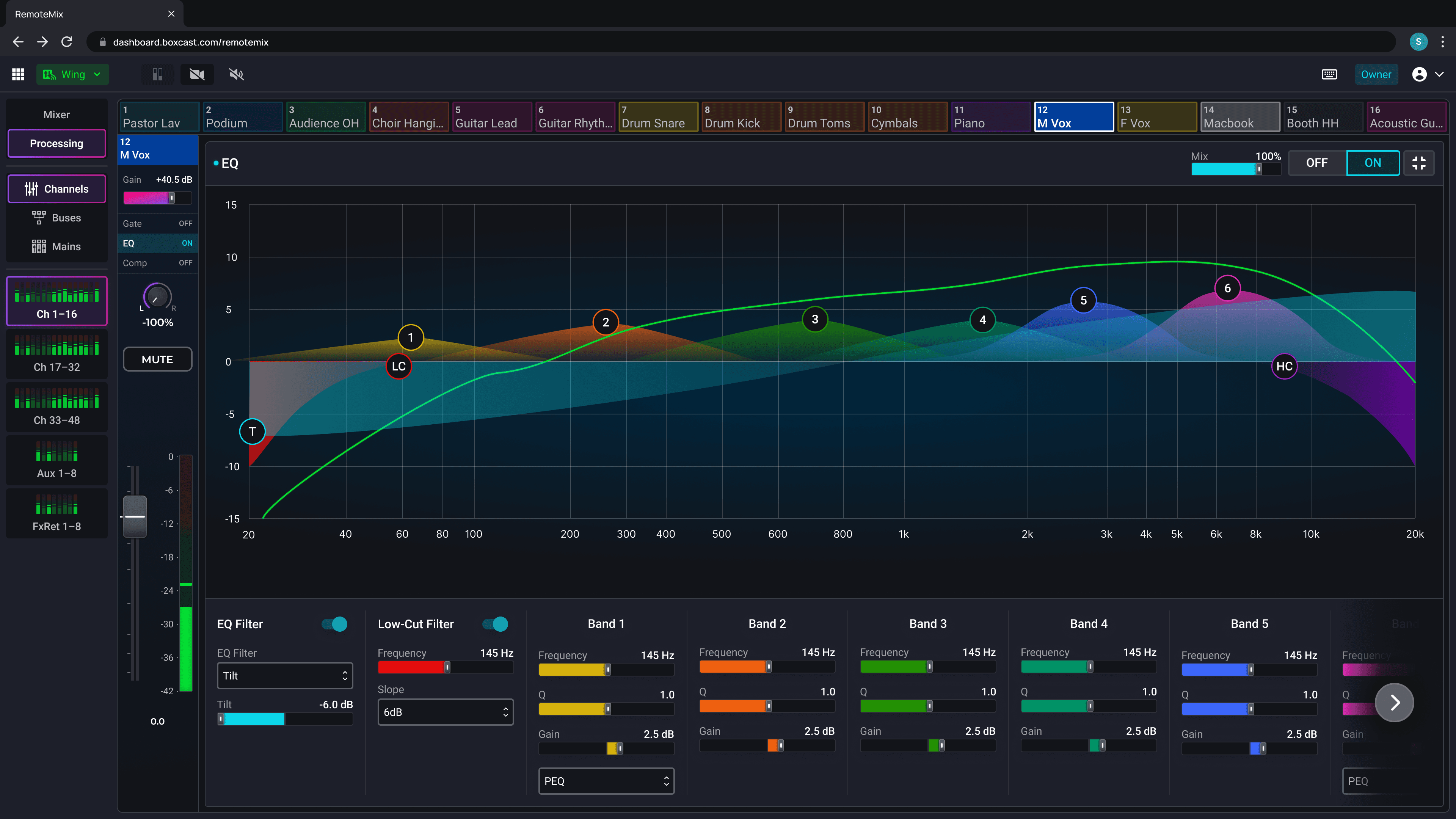
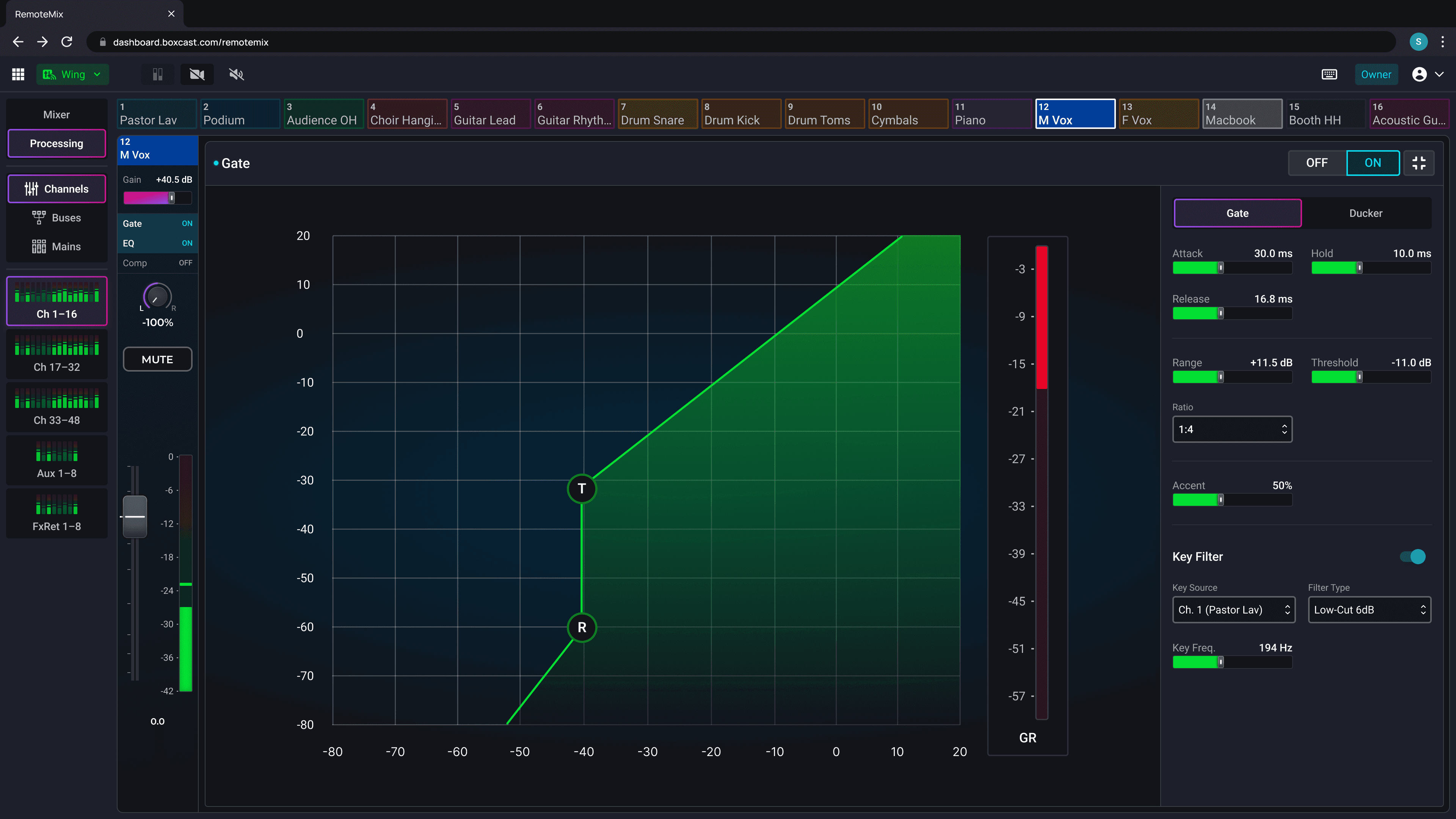
More!
More!
More!
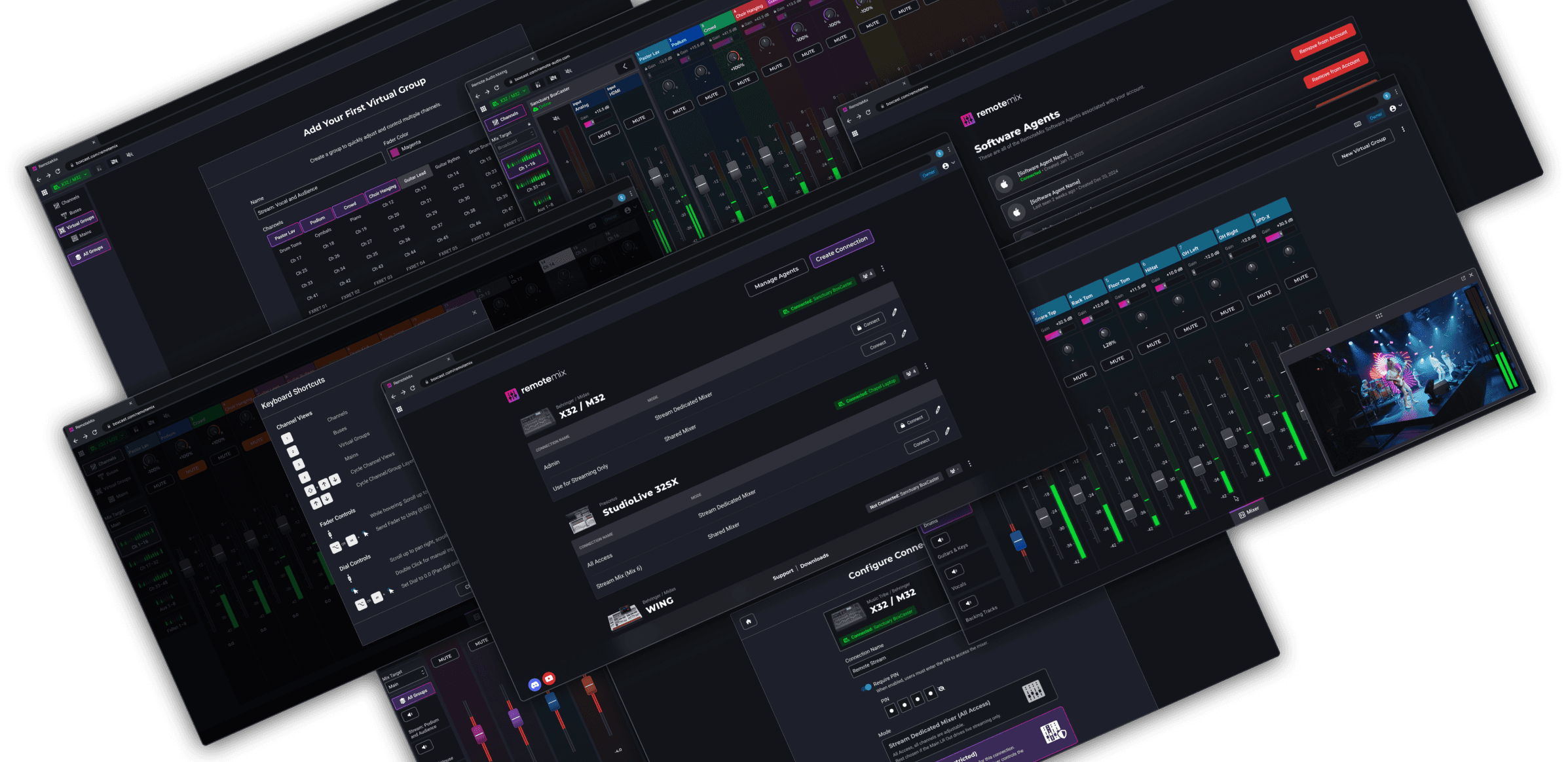
Design and engineering continues!
Below are some of the features we will be user testing and building over the next few months.
Design and engineering continues!
Below are some of the features we will be user testing and building over the next few months.
Monetization
Monetization
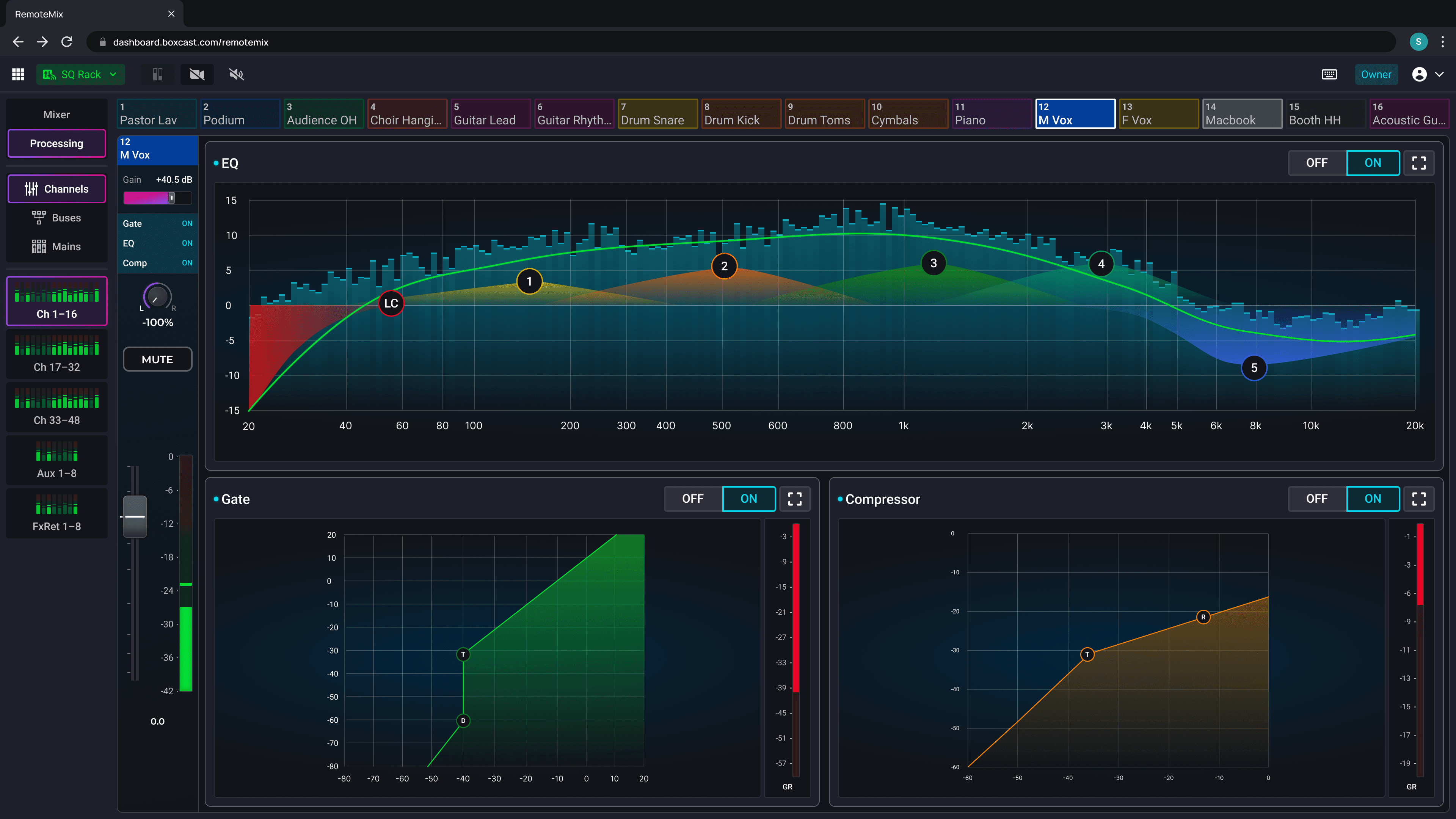
I designed and animated a Monetization Modal to showcase all of the paid features and create a centralized area for in product marketing.
I designed and animated a Monetization Modal to showcase all of the paid features and create a centralized area for in product marketing.
Thanks for looking!
Thanks for looking!
Thanks for looking!
Happy to share more!
Reach out to me at ssmithgall@gmail.com
Happy to share more!
Reach out to me at ssmithgall@gmail.com
Back to Home